
Weaving Together Multiple Threads
Each year I have the extreme pleasure of onboarding our incoming freshmen into our school’s technology systems and helping them build a solid foundation of digital and media literacy skills through a half-year Intro to Tech course. We start with skills like navigating our learning management system (LMS), email, Google Docs editing and other immediately applicable things they will need for their classes. They also learn how the Internet works, how AI works and ethical considerations for this technology, and how to spot phishing scams, and the role they play in keeping their accounts and the accounts of others safe.
One of the ways I am able to weave such a disparate-seeming set of skills into one cohesive unit is through the use of Understanding by Design for unit planning. Each summer I review my curricular goals in the context of any changes to the school’s technology systems and to the larger world’s technology systems, and decide on each unit’s Enduring Understandings for that year.
Putting It Into Practice
This summer, I created a custom Gemini Gem that is loaded with the UbD Whitepaper and my preferred planning template. After providing it with the unit’s Enduring Understandings, I chatted with it to develop my Essential Questions for the unit, and then it helped me consider the other vital elements that make up the core guide for my unit. It even helped me consider how I might break up the unit into daily lesson plans, though these were a very rough estimate and rarely worked right out of the box. While a chatbot is good for creating that first big-picture look at the unit, the daily plans can miss the mark, veer from the unit’s goals and Enduring Understandings, or present as too formulaic. Once I see how the tool interprets the flow of the unit, I am able to use my own judgment to flesh out the flow of learning in a way that is better aligned with my goals and the needs of my students.
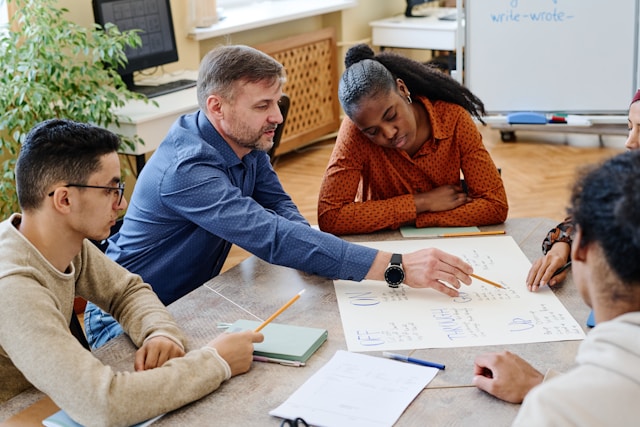
Are you looking for Professional Development opportunities this summer?
Authentic Education is offering our Inclusive Curriculum Design and Leading Curricular Change workshops for teachers and school leaders. Check out our offerings for more information and to reserve your spot.
One of our school’s Core Values is Presentation, so I give the 9th graders, who may have never presented in front of a class before, a structured way to get that experience and practice through a 2.5 minute Ignite Talk (usually they are 5 minutes long). This year, I wanted to level up our Ignite talks by having them center their talk around an Essential Question related to one of the topics we had been learning about. I know how hard it is for me to develop decent Essential Questions, so I thought using AI might help revamp the planning process and even the quality of their talks. I am decidedly skeptical of much of the energy around pushing AI into K-12 classrooms, but I thought that if I were able to create something customized for my classroom using a tool that is not dependent on consuming and processing my students’ data, it might be worth a shot.
Creating Interactive Learning Tools
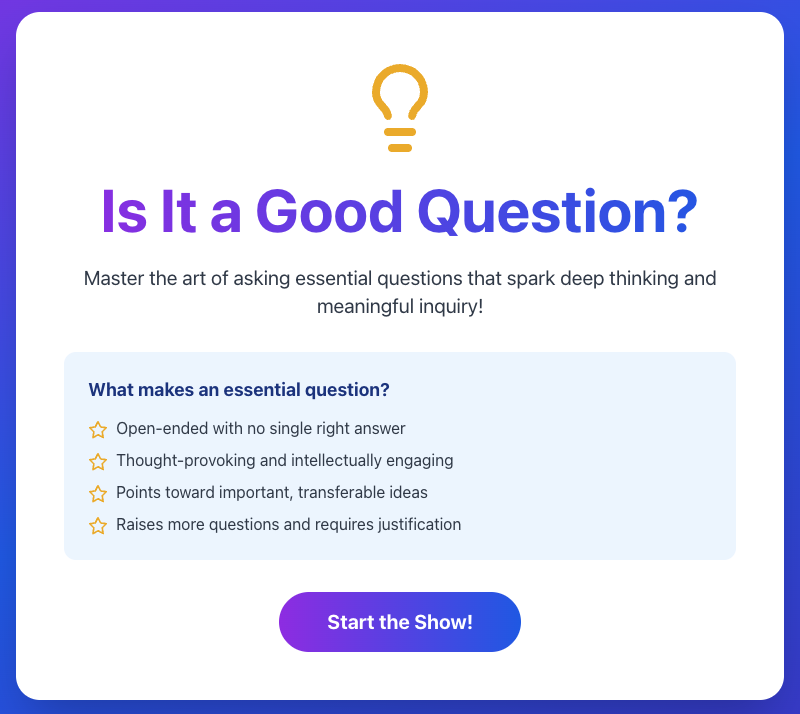
Using Canva’s AI code feature, I created an “is it essential” game that we played as a class to help them engage with questions and identify what elements make for a true Essential Question. (You can check out my LinkedIn post to try it out yourself.) This was our jumping-off point into creating our own questions. To assist them in developing these higher-level questions, I created a custom Gemini Gem that used the UbD Whitepaper as a resource along with instructions to provide feedback to the students on whether their question was essential and three suggestions to make it more essential. I also instructed it to use language that was reading-level appropriate for 9th graders. (My choice of Gemini was intentional since it is built into our school’s Google Workspace and does not save conversations or interactions that students have with the tool.)
Students enjoyed seeing the suggestions the custom Gem provided, but despite the instructions I provided when creating the gem, the language was often way too complex. This required me to guide students through re-prompting the tool so it would provide simpler language. While this process allowed students to explore their own questions while waiting for me rather than feeling “stuck,” it also required preparation and critical thinking skills in order for them to create a question that was still aligned with the inquiry of their original question and worded in a way that felt right for them. This prompting a re-prompting process allowed me to work one-on-one with students to make sure their question was clear, essential, and they felt comfortable using it to guide their talk.
Carrying the Work Forward
This inquiry work carried forward into our Media Literacy unit where I worked with Claude.ai to revamp the research process my students used. Through discussions with the chatbot, and its analysis of previous processes I have used, I was able to really break down things like finding relevant and credible sources and using an open-ended question to guide their research into manageable steps. I find Claude to be a helpful writer and thought partner in this work, and its terms state that it does not use my conversations to train its model, so I feel comfortable doing this kind of work within the Claude ecosystem.
I put another custom Gemini Gem into my students’ hands to help them create open-ended questions for their research that connected with their specific interests around our research topic: Social Media and Teen Mental Health. This Gem, which I gave more explicit directions based on my experience the first time, acted as a one-on-one tutor that allowed me more time to work with students to revise their individual research questions, think critically about the ideas the Gem was giving them, and guide them through prompting the Gem further if needed. Sometimes students even wanted my feedback, not the chatbot’s, and preferred to talk to me directly.
Once students finished their individual research on social media and teen mental health, they created podcasting teams to share their research. Part of that initial work was to identify questions they could explore together for their podcast. Generating questions is hard, and it takes lots of practice. After the third go at this, though, I could see that they were thinking critically about how to word their questions. During a meeting with one group who had two discussion topics defined but no clear questions yet, I challenged them to figure out what kind of question would lead to that kind of discussion and they were able to craft open-ended questions to guide their conversation. This showed me that the work we had been doing was paying off.
Why Does Any of This Matter?
I’ve found that when used with purpose, intent, appropriate content and prior knowledge, AI tools can “level up” my classroom. There are a lot of concerns that using AI in the classroom will lead to a dearth of critical thinking and that it has a limited place in a project-based, inquiry-based classroom. To be clear, I have a lot of reservations about schools jumping on the AI wagon, but when students are adequately prepared for the sycophancy, hallucinations, and wordiness of generative AI tools, they can serve as a helpful thought partner that guides students towards independent, deeper thinking.

2 Responses
Such a comprehensive and detailed discussion of the why and what and how. Thank you for sharing. I’ve used Gems with students to assist in revision of writing after getting feedback from me, but you’ve gone to another level here. I’ve also used AI to help craft a unit on semiotics and understanding of signs. I, too, found the day-to-day planning troublesome in the same ways.
This is the future. Well done!